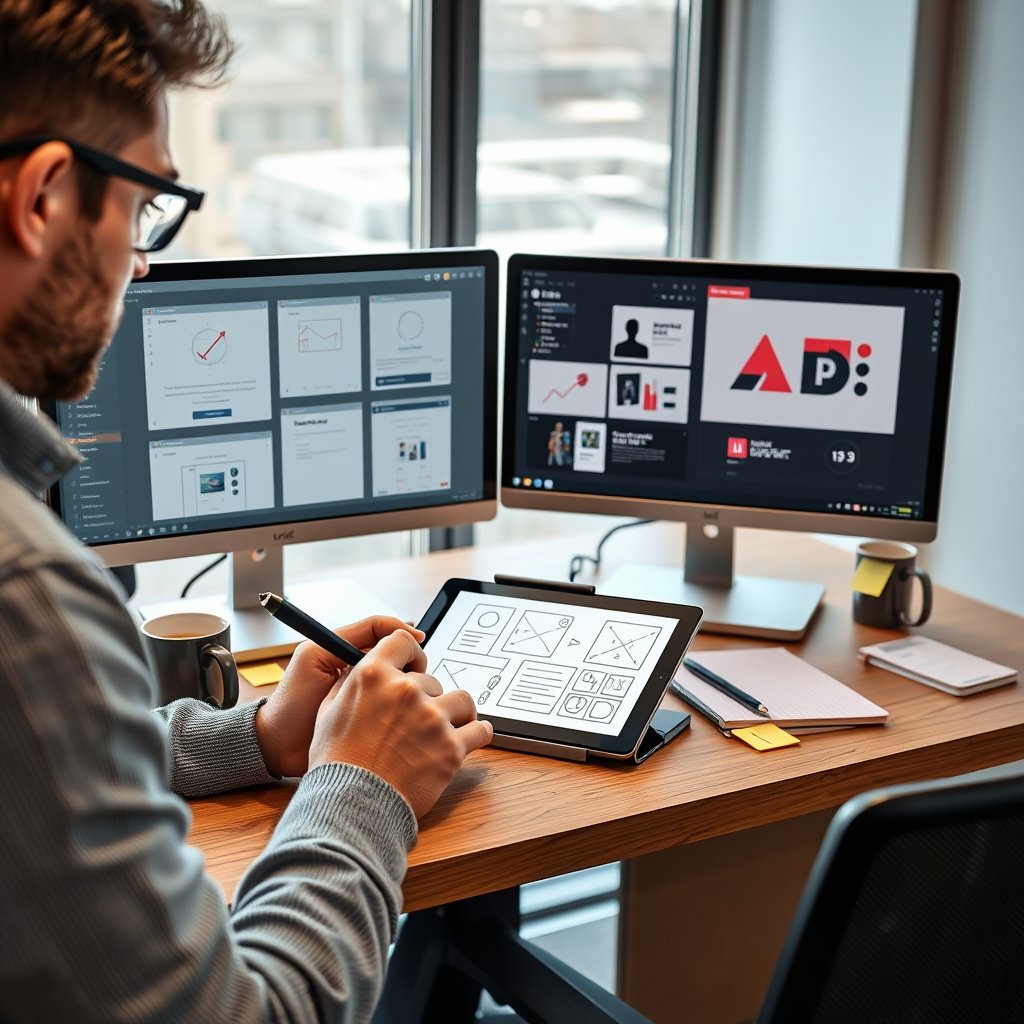
Imagine spending weeks perfecting a design, only to realize it doesn’t resonate with users when it’s too late to pivot. This nightmare scenario is all too common in the fast-paced world of digital product development, where the gap between concept and execution can make or break a project. Mastering the right UI/UX design tools isn’t just about efficiency—it’s about transforming ideas into intuitive, user-centered experiences that stand out. Whether you’re sketching initial wireframes or building interactive prototypes, the tools you choose can streamline your workflow, enhance collaboration, and ultimately lead to better design outcomes.
In this guide, we’ll explore the essential tools that bridge the gap from wireframes to prototypes, helping you navigate the design process with confidence. From industry staples to emerging innovations, these resources are key for any UI/UX designer looking to elevate their craft and stay ahead in a competitive landscape.
The Design Journey: Why Wireframes and Prototypes Matter
Before diving into specific tools, it’s crucial to understand the foundational role of wireframes and prototypes in UI/UX design. Wireframes act as the blueprint of your design, outlining structure and functionality without the distraction of visuals. They allow teams to align on layout and user flow early on, reducing costly revisions later. On the other hand, prototypes bring these blueprints to life, simulating user interactions and providing a tangible preview of the final product.
Together, they form a iterative cycle that ensures designs are both feasible and user-friendly. By leveraging the right tools, designers can seamlessly transition between these stages, fostering creativity and precision. This synergy is what makes modern UI/UX design tools indispensable for creating impactful digital experiences.
Top Wireframing Tools to Kickstart Your Design Process
Wireframing is where ideas begin to take shape, and having the right software can make this phase both intuitive and collaborative. Here are some standout tools that every UI/UX designer should consider mastering.
Balsamiq: The Classic for Rapid Sketching
Balsamiq is renowned for its hand-drawn aesthetic, which encourages focus on structure over aesthetics. It’s ideal for quick iterations, allowing designers to sketch ideas without getting bogged down in details. With a library of pre-built components, it speeds up the wireframing process while keeping things simple and effective.
Its low-fidelity approach helps teams communicate ideas clearly, making it a favorite for early-stage projects. Plus, its collaborative features enable real-time feedback, ensuring everyone is on the same page from the start.
Figma: A Cloud-Based Powerhouse for Collaborative Design
Figma has revolutionized UI/UX design tools with its cloud-based platform, enabling seamless collaboration among designers, developers, and stakeholders. Its vector editing tools and responsive design features make it perfect for creating detailed wireframes that can evolve into high-fidelity designs. The ability to work simultaneously on projects eliminates version control headaches.
Beyond wireframing, Figma’s plugin ecosystem extends its functionality, allowing for everything from user flow mapping to accessibility checks. This versatility makes it a go-to for teams aiming to streamline their entire design workflow in one place.
Sketch: The Veteran for Mac-Based Designers
Sketch has long been a staple in the UI/UX community, offering a robust set of tools for wireframing and beyond. Its intuitive interface and symbols feature enable designers to create reusable components, speeding up the design process. While it’s Mac-exclusive, its extensive plugin library and strong community support keep it relevant.
For designers focused on vector-based wireframes, Sketch provides the precision needed to lay out complex interfaces. Its integration with prototyping tools further enhances its utility, making it a solid choice for those embedded in the Apple ecosystem.
Prototyping Tools: Bringing Your Designs to Life
Once wireframes are set, prototyping tools add interactivity and motion, turning static designs into dynamic experiences. This stage is critical for testing usability and gathering feedback before development begins.
Adobe XD: Integrating Design and Prototyping Seamlessly
Adobe XD stands out for its all-in-one approach, combining wireframing, design, and prototyping in a single application. Its auto-animate feature allows designers to create smooth transitions between screens, mimicking real-world interactions. This makes it easier to visualize user journeys and identify pain points early.
With strong integration with other Adobe Creative Cloud apps, XD is perfect for designers who already use tools like Photoshop or Illustrator. Its repeat grid and responsive resize features also save time when working on multi-device designs.
InVision: Enhancing Collaboration with Interactive Mockups
InVision excels in turning designs into clickable prototypes, offering a platform for feedback and iteration. Its cloud-based system allows stakeholders to comment directly on prototypes, facilitating clear communication. The tool’s animation capabilities help simulate complex interactions, providing a realistic feel for the end product.
For teams focused on user testing, InVision’s integration with tools like UserTesting enables direct feedback from real users, bridging the gap between design and validation. This makes it invaluable for refining prototypes based on actual user behavior.
Principle: Adding Motion and Polish to Prototypes
When it comes to high-fidelity prototypes with advanced animations, Principle is a top contender. It allows designers to create intricate motion designs that showcase micro-interactions and transitions, giving a glimpse into the final user experience. Its timeline-based interface is intuitive for those familiar with animation tools.
Principle is particularly useful for presenting prototypes to clients or developers, as it clearly communicates how elements should behave. While it may have a steeper learning curve, the results are worth it for projects that demand a polished, interactive presentation.
Integrating Tools into Your Workflow for Maximum Efficiency
Having the right tools is just the start; integrating them effectively into your workflow is key to boosting productivity. Start by mapping out your design process, from ideation to handoff, and select tools that complement each stage. For instance, use Figma for collaborative wireframing, then export to Principle for advanced prototyping.
Adopting a consistent design system across tools can also streamline efforts. By creating shared libraries of components and styles, you ensure consistency and reduce redundant work. Additionally, leveraging plugins and automation features can handle repetitive tasks, freeing up time for creative problem-solving.
Collaboration is another critical aspect—choose tools that support real-time editing and feedback to keep teams aligned. This not only speeds up iterations but also fosters a culture of transparency and continuous improvement in your design projects.
Future-Proofing Your Skills with Emerging UI/UX Design Tools
The landscape of UI/UX design tools is constantly evolving, with new technologies like AI and VR shaping the future. Staying updated with trends such as AI-powered design assistants can automate routine tasks, allowing designers to focus on strategy and innovation. Tools that incorporate machine learning for user behavior analysis are becoming increasingly valuable.
Additionally, the rise of augmented reality (AR) and virtual reality (VR) is pushing designers to explore tools like Figma’s 3D features or specialized software for immersive experiences. By experimenting with these emerging tools, you can future-proof your skill set and open doors to new design opportunities.
Continuous learning through online communities, tutorials, and hands-on practice will help you adapt to these changes. Remember, the goal is not just to master specific tools but to cultivate a flexible mindset that embraces innovation in UI/UX design.
Embracing a toolkit that spans wireframing to prototyping empowers you to create designs that are not only visually appealing but also deeply functional and user-centric. Start by experimenting with one new tool in your next project, and gradually build a suite that aligns with your workflow—this proactive approach will keep your skills sharp and your designs impactful in an ever-evolving digital world.