Imagine launching a beautiful app that no one wants to use. That’s the nightmare every designer fears, and it’s why measuring the success of your UI/UX design projects is crucial. In today’s competitive digital landscape, understanding how to evaluate design effectiveness can make or break user engagement and business outcomes.
Whether you’re a seasoned designer or just starting out, knowing which metrics to track ensures your work delivers real value. This guide explores practical ways to assess UI/UX success, blending data-driven insights with user-centric approaches. Let’s dive into the key strategies that can transform your design process.
Key Metrics for Evaluating UI/UX Design Success
To begin with, identifying the right metrics is essential for accurate evaluation. Focus on indicators that align with both user needs and business goals. These metrics provide a clear picture of how your design performs in real-world scenarios.
First, consider user engagement metrics like session duration and bounce rate. These show how long users interact with your interface and whether they stay or leave quickly. High engagement often signals intuitive design and compelling content.
Next, conversion rates are vital for measuring design impact on actions such as sign-ups or purchases. A well-designed UI/UX should streamline these processes, reducing friction and boosting conversions. Track these over time to spot trends and improvements.
Additionally, task success rate measures how easily users complete specific goals within your product. This metric highlights usability issues and helps refine design elements for better efficiency. Combining these with error rates gives a comprehensive view of user experience quality.
User-Centric Approaches to Measure Design Impact
Moving on to user-centric methods, qualitative feedback is just as important as quantitative data. Engaging directly with users uncovers insights that numbers alone might miss. This approach ensures your designs resonate on a deeper level.
Conducting usability testing sessions allows you to observe users interacting with your prototype. Note their pain points, preferences, and suggestions. These sessions reveal how intuitive your design feels and where improvements are needed.
Surveys and interviews are another powerful tool for gathering user opinions. Ask targeted questions about satisfaction, ease of use, and overall experience. This feedback helps validate design decisions and identify areas for enhancement.
Furthermore, analyzing user behavior through heatmaps and click tracking provides visual data on interaction patterns. See where users focus their attention and how they navigate your interface. This information guides iterative design tweaks for optimal usability.
Quantitative vs. Qualitative Metrics in UX Design
Transitioning to the balance between numbers and narratives, both quantitative and qualitative metrics play unique roles. Understanding their differences helps you choose the right tools for each project phase.
Quantitative metrics, like conversion rates and load times, offer objective, measurable data. They are excellent for tracking performance over time and comparing against benchmarks. Use these to set clear goals and monitor progress.
Qualitative metrics, such as user feedback and observation notes, add context to the numbers. They explain why certain trends occur and uncover emotional responses. Integrating both types ensures a holistic view of design success.
For instance, a high bounce rate (quantitative) might be explained by confusing navigation (qualitative). By combining these insights, you can address root causes rather than just symptoms. This balanced approach leads to more effective design solutions.
Tools and Techniques for Tracking Design Performance
Now, let’s explore the practical side: tools and techniques that streamline measurement. Leveraging technology can save time and enhance accuracy in your evaluations. These resources are invaluable for modern design teams.
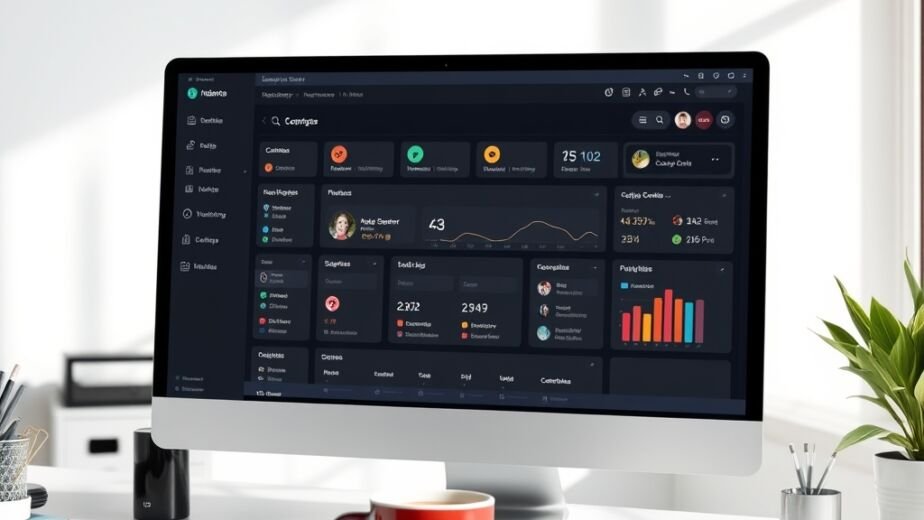
Analytics platforms like Google Analytics or Mixpanel track user behavior and key metrics automatically. Set up custom dashboards to monitor UI/UX performance in real-time. This data helps you make informed decisions quickly.
A/B testing tools, such as Optimizely or VWO, allow you to compare design variations. Test different layouts, colors, or features to see which performs better. This experimental approach minimizes guesswork and optimizes user experience.
User testing platforms like UserTesting or Lookback provide access to feedback and session recordings. Recruit participants to interact with your designs and share their thoughts. These insights are gold for refining usability and engagement.
Additionally, prototyping tools with built-in analytics, such as Figma or Adobe XD, enable seamless tracking during the design phase. Use these to gather early feedback and iterate before development. This proactive strategy reduces costly revisions later.
Implementing Feedback Loops for Continuous Improvement
As we wrap up the core strategies, remember that measurement is an ongoing process. Implementing feedback loops ensures your designs evolve with user needs and market changes. This iterative mindset fosters long-term success.
Regularly review metrics and user feedback to identify patterns and areas for growth. Schedule periodic design audits to assess alignment with goals. Keep your team engaged in discussions about improvements and innovations.
Cultivate a culture of experimentation where testing and learning are encouraged. Celebrate successes and analyze failures without blame. This approach builds resilience and drives creative solutions in UI/UX design.
By consistently applying these metrics and staying attuned to user needs, you can ensure your designs not only look good but also deliver real value. Start small, measure often, and let data guide your path to exceptional user experiences.