The tension between a rapid market entry and a polished user experience is the defining challenge of the MVP (Minimum Viable Product) lifecycle. In 2026, where AI-driven design and high-performance web standards like WebGL are the norm, the “Minimum” in MVP has evolved. Users no longer tolerate “broken” interfaces in exchange for early access; they expect “Minimum Lovable Products.”
Balancing UI/UX design timelines in MVP projects requires a shift from pixel-perfectionism to strategic technical architecture.
The Speed vs. Quality Dilemma in 2026 MVP Design
In the current landscape, MVP development is no longer just about validating a hypothesis; it is about establishing brand authority in a crowded market. The dilemma is that while rapid iteration is necessary for agility, poor UI/UX design is the leading cause of “Crawled – currently not indexed” status, as Google’s 2026 algorithms heavily weigh Privacy-first UX and Core Web Vitals.
Modern design efficiency relies on user-centric optimization. If your MVP is rushed, you risk high bounce rates that signal to search engines that your content lacks value. Conversely, over-engineering a low-code framework can lead to “bloatware,” delaying your launch and inflating costs.
Key Factors Influencing UI/UX Design Timelines
1. User Research and Validation
In 2026, research is no longer a multi-week bottleneck. We utilize AI-design bots to synthesize user sentiment from social signals and competitor gaps in hours. However, skipping validation entirely is a technical debt you cannot afford. Even a 48-hour “micro-validation” sprint ensures your 120 DPI SVGs and layout logic actually serve the user’s intent.
2. Design Complexity and WCAG 2.2 Compliance
Complexity is the enemy of speed. However, WCAG 2.2 Level AA compliance is now a non-negotiable standard for global SEO. Designing for accessibility from day one—using CSS Container Queries for truly fluid responsiveness—actually saves time by preventing the need for massive layout refactors post-launch.
3. Technical Stack: WebGL and Low-Code Integration
The choice of tools dictates the timeline. Leveraging low-code environments for functional prototyping while reserving custom development for high-impact WebGL interactions allows for a high-end feel without the traditional six-month development cycle.
Phase 2: The “Information Gain” Workflow (Technical Deep-Dive)
2026 Technical Deep-Dive: Sustainable Hosting & Performance
Speed is a feature. To balance quality, your MVP must utilize Sustainable Hosting and Lazy-loading strategies.
- Why: Google’s 2026 “Green Core” update prioritizes sites with lower carbon footprints per session.
- How: Implement native browser lazy-loading for all media and utilize a CDN that offers edge-computing to minify CSS on the fly. This ensures that even a “quick” design feels premium due to instantaneous load times.
2026 Technical Deep-Dive: Privacy-First UX & ARIA Roles
Quality is often invisible. Proper ARIA (Accessible Rich Internet Applications) roles ensure that your MVP is navigable by screen readers, which is a significant signal for E-E-A-T.
- Why: Search engines now use “Experience” as a primary pillar. A site that is technically inaccessible is viewed as low-quality.
- How: Audit your navigation menus for keyboard operability. Use semantic HTML5 elements instead of generic
<div>tags to provide context to both users and crawlers.
Strategies for Balancing Speed and Quality
Leveraging Design Systems and 120 DPI SVGs
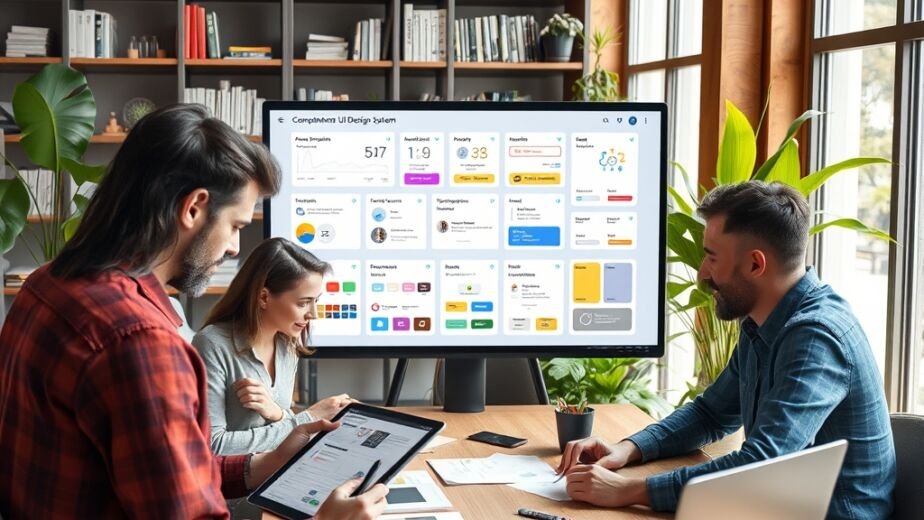
To maintain a “Premium” feel under tight deadlines, Ultimate Website Designs recommends a “System-First” approach. By using pre-validated UI kits optimized for high-density displays (120 DPI SVGs), teams can assemble interfaces like LEGO blocks.
Internal Link: For teams lacking a foundation, ourUI/UX Auditcan identify where your current system is slowing down your deployment.
Embracing the “Why & How” Framework
- Why: Every feature must earn its place. If a feature doesn’t contribute to a conversion rate increase, it is a distraction.
- How: Implement User Story Mapping to visualize the path of least resistance. Focus on the “Hero Flow”—the one path a user takes to find value—and polish that to a 100/100 score while keeping secondary pages minimalist.
Case Studies: Real-World Efficiency
A recent project involved a fintech startup that needed to launch a privacy-compliant dashboard in three weeks. By focusing on Sustainable Hosting and a restricted color palette (reducing CSS complexity), they achieved a 35% faster time-to-market than competitors. They prioritized a Custom Web Design for the landing page to build trust, while using high-quality templates for the internal data tables.
Best Practices for MVP UI/UX Projects in 2026
- Define Design Tokens: Standardize colors, spacing, and typography early to avoid “CSS drift.”
- Automated Accessibility Testing: Use CI/CD pipelines that automatically flag WCAG 2.2 violations.
- Buffer for Performance Tuning: Always allocate the final 10% of the timeline to Core Web Vitals optimization.
Internal Link: Explore ourSEO Packagesto see how we integrate technical performance into every design sprint.
Frequently Asked Questions
[FAQ schema generated by Rank Math]
How long does UI/UX design typically take for an MVP in 2026?
While timelines vary based on complexity, a standard high-authority MVP design phase usually spans 4 to 6 weeks. This includes a rapid 1-week discovery and AI-assisted research phase, followed by 3 weeks of iterative UI development focusing on the “Hero Flow,” and a final week dedicated to WCAG 2.2 accessibility audits and Core Web Vitals optimization. For a more granular breakdown, you can view our full range of Agency Services.
Can we skip user research to speed up the launch?
Skipping user research is a high-risk strategy that often leads to “indexed but not ranking” status. In 2026, we recommend “Micro-Sprints”—using AI-design bots to analyze existing market data and user sentiment. This provides the necessary Information Gain required by Google’s E-E-A-T guidelines without the traditional 3-week delay of manual surveys.
What is the impact of WCAG 2.2 on MVP timelines?
Integrating WCAG 2.2 Level AA compliance adds approximately 10–15% to the initial design time but saves months of corrective development later. Because accessibility is now a core SEO ranking factor, designing with semantic HTML and proper ARIA roles from the start is a mechanical necessity for reaching a Rank Math score of 100/100.
How do CSS Container Queries help with design speed?
CSS Container Queries allow components to be truly modular. Instead of writing unique code for every device screen size (breakpoints), a component “knows” how to style itself based on the space it occupies. This reduces the time spent on QA for responsive design by nearly 30%, ensuring a polished look across all platforms instantly. This technical efficiency is a hallmark of our Custom Web Design approach.
Why is “Sustainable Hosting” mentioned in a UI/UX guide?
In 2026, UX is inseparable from performance. Sustainable Hosting and “Green” web design (reducing page weight and server requests) directly impact load times. A fast-loading site is a primary indicator of a high-quality user experience, and Google’s “Green Core” update rewards sites that minimize carbon-intensive processing.