Learn the exact quantitative and qualitative methods to evaluate UI/UX projects, boost engagement, and increase conversions.
Launching a beautiful app that no one uses is every designer’s nightmare. Measuring the success of your UI/UX design projects turns that nightmare into a data‑driven success story. In this guide we’ll show you the exact metrics, tools, and feedback loops that let you prove that your designs not only look great but also move the needle on user engagement and business results
Why Measuring UI/UX Design Success Is Non‑Negotiable
The moment a user lands on a page, the design begins to speak for—or against—your product. If you can’t quantify that conversation, you’re guessing at its impact. Clear, measurable outcomes:
- Protect the budget – demonstrate ROI to stakeholders and avoid costly redesigns.
- Guide iteration – data tells you what to improve, not just what feels right.
- Boost rankings – Google’s Core Web Vitals and engagement signals are part of every SEO strategy.
In short, a robust measurement system is the bridge between creative intent and business results.
1. Core Quantitative Metrics Every UI/UX Project Should Track
1.1 Session Duration & Bounce Rate
- Session Duration shows how long users stay engaged with your interface. Longer sessions usually mean the flow is intuitive.
- Bounce Rate indicates the percentage of visitors who leave after a single page view. A high bounce rate is a red flag for friction.
Pro tip: Set a baseline (e.g., 2 minutes) and aim for a 10 % improvement after each design iteration.
1.2 Conversion Rate
Track the percentage of users who complete a goal—signup, purchase, form submission, etc. A clean UI/UX removes friction, directly lifting conversion numbers.
- Micro‑conversions (e.g., “Add to Wishlist”) can be just as telling as primary conversions.
1.3 Task Success Rate & Error Rate
During usability testing, measure how many participants complete a predefined task without assistance (Task Success Rate). Simultaneously record errors or dead‑ends (Error Rate).
- Target: ≥ 85 % success with ≤ 5 % error.
1.4 Load Time & Core Web Vitals
Google’s performance metrics—Largest Contentful Paint (LCP), First Input Delay (FID), and Cumulative Layout Shift (CLS)—affect both SEO and user perception.
- Goal: LCP < 2.5 s, FID < 100 ms, CLS < 0.1.
2. User‑Centric Qualitative Approaches
2.1 Usability Testing Sessions
Watch real users interact with low‑fidelity or high‑fidelity prototypes. Capture pain points, hesitation, and vocalized confusion.
- Record sessions with tools like Lookback or UserTesting and tag moments of friction.
2.2 Surveys & In‑App Interviews
Deploy a short, targeted questionnaire after key interactions. Use a Likert scale (1‑5) for “Ease of Use” and open‑ended questions for suggestions.
- Example question: “What was the hardest part of completing your purchase today?”
2.3 Heatmaps & Click‑Tracking
Visualize where users click, scroll, and hover. Heatmaps quickly reveal dead zones and over‑stimulated areas.
- Tools: Hotjar, Crazy Egg.
3. Balancing Quantitative and Qualitative Insights
| Metric Type | What It Shows | How to Use It |
|---|---|---|
| Quantitative (e.g., Conversion Rate) | Objective performance numbers | Compare against historical baselines; set A/B test goals |
| Qualitative (e.g., User Comments) | Context behind numbers | Explain why a bounce rate spikes; uncover emotional reactions |
| Combined | Full picture of success | Pair a high bounce rate with heatmap data to locate confusing navigation |
By marrying the two, you avoid the trap of “optimizing the wrong thing.”
4. Essential Tools & Techniques for Real‑Time Tracking
4.1 Analytics Platforms
- Google Analytics (or GA4) for session data, conversion funnels, and custom events.
- Mixpanel for event‑level granularity and cohort analysis.
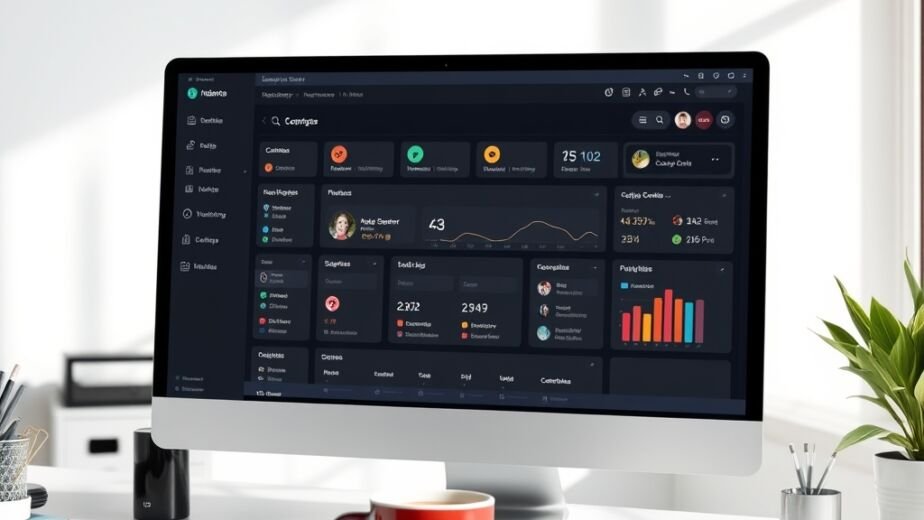
Create a Dashboard that surfaces Session Duration, Bounce Rate, Conversion, and Core Web Vitals in one view.
4.2 A/B Testing Suites
- Optimizely or VWO let you test layout, copy, button color, or micro‑interactions.
- Run at least a 2‑week test to reach statistical significance (≥ 95 % confidence).
4.3 Prototyping with Built‑In Analytics
- Figma and Adobe XD now embed usage stats directly into prototypes, allowing you to collect feedback before any code is written.
4.4 User Feedback Loops
- Intercom or Drift chat widgets to capture “quick feedback” after a session.
- Automated NPS surveys triggered 7 days post‑onboarding.
5. Turning Data Into Action: Feedback Loops for Continuous Improvement
- Collect – Pull quantitative data from your analytics dashboard weekly.
- Analyze – Spot trends (e.g., a dip in Task Success Rate after a new feature launch).
- Prioritize – Use the RICE scoring model (Reach, Impact, Confidence, Effort) to decide which issue to fix first.
- Implement – Apply the solution (e.g., simplify a form field, adjust button placement).
- Validate – Run an A/B test or a quick usability session to confirm the fix improves the metric.
Repeating this loop creates a growth engine for your product’s experience.
6. How Ultimate Website Designs Can Accelerate Your Measurement Process
- [Custom Web Design] – We build performance‑optimized sites that embed Core Web Vitals best practices from day one.
- [UI/UX Audit] – Our experts audit your existing interfaces, surface hidden fatigue points, and map measurable success criteria.
- [SEO Packages] – Align your UX improvements with SEO to ensure that higher engagement also lifts organic rankings.
Partner with us to turn every design decision into a proven, revenue‑driving outcome.
7. Final Checklist – Prove Your UI/UX Works
- Set up custom dashboards for Session Duration, Bounce Rate, Conversion, and Core Web Vitals.
- Conduct monthly usability tests with at least five participants.
- Deploy heatmaps on high‑traffic pages.
- Run an A/B test on any major UI change before full rollout.
- Review results, iterate, and document the impact in a quarterly report.
When you consistently apply these steps, you’ll move from “pretty but unproven” to data‑backed design excellence.
Frequently Asked Questions
[FAQ schema generated by Rank Math]
1. What is the ideal sample size for a usability test?
A minimum of 5 participants per major user segment uncovers 85 % of usability problems, according to Nielsen Norman Group research.
2. How often should I run A/B tests on the same element?
After a significant design change or after the original test reaches statistical significance, re‑test to confirm long‑term stability.
3. Can I rely solely on Google Analytics for UX measurement?
Analytics gives you the “what,” but you still need qualitative tools (heatmaps, user testing) for the “why.”
4. Do Core Web Vitals affect conversion rates?
Yes—studies show a 1 second delay in LCP can reduce conversions by up to 20 %.
5. How do I tie UX metrics to business revenue?
Map each key metric to a business KPI (e.g., Conversion Rate → Revenue per Visitor) and track correlation over time.