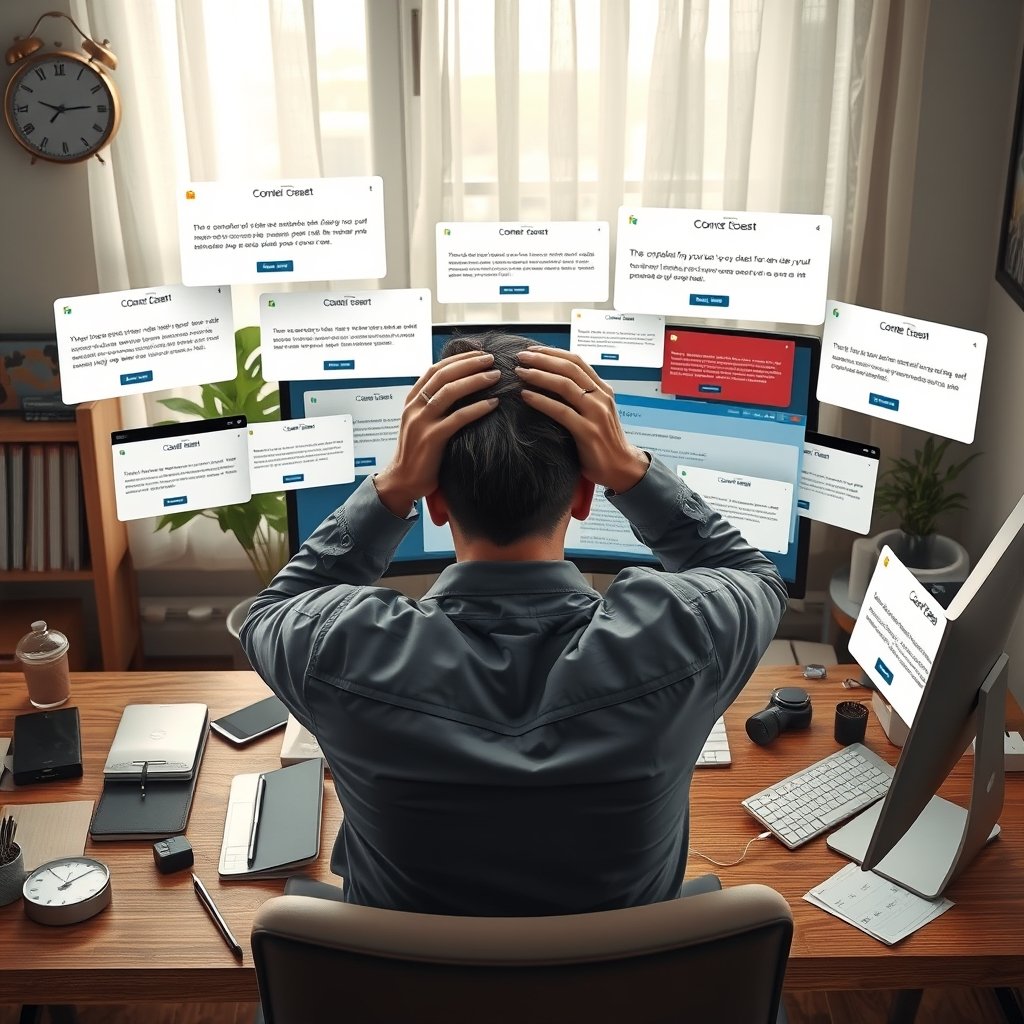
When a site bombards visitors with cookie walls, pop‑ups, and endless onboarding tours, the result is digital burnout. This guide shows why UX fatigue matters, how it hurts your business, and eight actionable steps to reclaim user attention and trust.
What Is UX Fatigue and Why It Matters
UX fatigue describes the mental weariness users feel after confronting too many interruptions, consent requests, or mandatory tutorials on a single page. It isn’t a minor annoyance; it directly lowers dwell time, raises bounce rates, and erodes brand trust. When a visitor must click “Accept” before seeing any content, they experience an instant friction spike that many abandon without a second thought.
Why it hurts:
- Higher bounce rates → search engines interpret the page as low‑quality, dropping rankings.
- Reduced conversions → users leave before reaching the CTA.
- Brand distrust → repeated intrusions signal a pushy, disrespectful business.
Understanding UX fatigue lets you pinpoint the exact moments where users drop off, allowing you to replace irritation with smooth, rewarding interactions.
Common Triggers of User‑Experience Exhaustion
| Trigger | Typical Symptom | Why It Drains Energy |
|---|---|---|
| Cookie consent walls that block content | Immediate “Stop” button needed | Forces users to make a decision before any value is delivered |
| Immediate pop‑ups (newsletter, discount) | Abrupt overlay covering main copy | Breaks reading flow, creates a sense of being “sold to” |
| Mandatory onboarding tours | Full‑screen guided steps on first visit | Overloads users with information they may never need |
| Auto‑playing videos/ads in infinite scroll | Continuous motion & sound | Creates sensory overload, especially on mobile |
| Repetitive nagging notifications (push, app install) | Re‑appearing banners | Generates a feeling of being stalked by the site |
These patterns often start with good intentions—compliance, lead capture, or education—but become counter‑productive when they dominate the user’s first impression.
How Modern Web Design Trends Can Exacerbate Fatigue
- Infinite scroll + auto‑play: Endless content feeds keep the brain in a constant “scan” mode, exhausting attention span.
- Over‑crowded navigation: Mega‑menus with dozens of links force users to hunt for the right path, increasing cognitive load.
- Heavy JavaScript animations: While visually impressive, they delay page rendering and make scrolling feel sluggish.
Shifting toward minimalist, mobile‑first design—fewer elements, clearer hierarchy, and faster load times—directly combats these fatigue sources and aligns with Google’s Core Web Vitals, boosting SEO performance.
The Business Impact of Ignoring UX Fatigue
| Metric Affected | Result of Fatigue | Business Cost |
|---|---|---|
| Bounce Rate | Users leave within seconds | Lost organic traffic |
| Conversion Rate | Fewer sign‑ups/purchases | Higher Customer Acquisition Cost |
| Session Duration | Short dwell time | Lower dwell‑time signals to Google – rank drop |
| Net Promoter Score | Users feel disrespected | Reduced referrals & brand advocacy |
In competitive niches, a 1 % improvement in bounce rate can translate to thousands of additional visits each month—simply by easing the user journey.
8 Proven Strategies to Combat UX Fatigue
1. Redesign Cookie Consent for Low Friction
- Use a non‑blocking banner that appears at the bottom and fades after a few seconds.
- Provide a “Accept All” button and a subtle “Manage Settings” link for power users.
- Store consent in a first‑party cookie with a 12‑month expiry to avoid repeated prompts.
2. Delay Pop‑Ups Until Intent Is Shown
- Trigger email capture forms after 30 seconds of on‑page engagement or after 75 % scroll depth.
- Use exit‑intent detection instead of immediate overlays.
3. Offer Progressive Onboarding
- Present a single‑step “Get Started” button that optionally opens a short tooltip tour.
- Allow users to skip and revisit the tour later from the settings menu.
4. Adopt a Clean Visual Hierarchy
- Limit primary navigation to 5–7 top‑level items.
- Use whitespace to separate sections, reducing scan time.
- Highlight the most important CTA with a distinct color and ample padding.
5. Optimize Media Loading
- Enable lazy‑load for images and videos; load only when they enter the viewport.
- Serve compressed WebP images and adaptive bitrates for videos.
- Disable auto‑play; let users start media manually.
6. Implement Mobile‑First, Accessible Design
- Follow WCAG 2.2 Level AA guidelines for contrast, touch target size, and ARIA labeling.
- Use responsive typography (clamp()) so text remains readable on any device, reducing zoom‑induced fatigue.
7. Test Continuously with Real Users
- Run A/B tests on consent banner placement, pop‑up timing, and onboarding flow.
- Collect qualitative feedback via in‑app surveys after key interactions.
8. Communicate Value Before Asking for Data
- Show a preview of the article or product before presenting a sign‑up form.
- Explain why you need an email (“Get weekly design tips”) and offer instant value (downloadable checklist).
By systematically applying these eight tactics, you’ll lower the cognitive overhead for visitors, keep them on the page longer, and ultimately improve conversion metrics.
Integrating These Practices with Ultimate Website Designs
If you need help implementing a fatigue‑free experience, our team can:
- [Custom Web Design] – Build clean, fast, and conversion‑focused sites that respect user attention.
- [UI/UX Audit] – Identify hidden fatigue triggers, benchmark against industry standards, and deliver a prioritized fix list.
- [SEO Packages] – Align performance improvements with Core Web Vitals to boost rankings while reducing bounce.
We blend data‑driven design with empathetic user research, so your site feels welcoming rather than demanding.
Building a User‑Centric Future
- Champion “Less Is More.” Make every element earn its place on the page.
- Gather Ongoing Feedback. Use tools like Hotjar or Microsoft Clarity to see where users pause or abandon.
- Stay Updated on Accessibility. Follow the W3C Accessibility Guidelines for the latest compliance tips[0].
- Educate Teams on UX Fatigue. Share this guide and run workshops to align designers, developers, and marketers around a shared goal of frictionless experiences.
When your website respects the visitor’s time and mental bandwidth, the benefits cascade: higher rankings, stronger brand loyalty, and healthier revenue streams.
Frequently Asked Questions
[FAQ schema generated by Rank Math]
1. How long should a cookie banner stay visible?
A non‑blocking banner can fade after 5–7 seconds if the user has not interacted, but keep a permanent “Manage Settings” link in the footer.
2. When is the best moment to show a newsletter pop‑up?
After the user has demonstrated intent—e.g., 30 seconds on page or 75 % scroll depth—to avoid interrupting initial content consumption.
3. Does progressive onboarding really increase conversions?
Yes. Studies show that allowing users to skip or defer onboarding can raise signup rates by up to 20 % because visitors feel in control.
4. What Core Web Vitals are most linked to UX fatigue?
- Largest Contentful Paint (LCP) – long load times increase perceived waiting.
- Cumulative Layout Shift (CLS) – unexpected movement makes users anxious.
5. Are there any AI tools to help reduce fatigue?
Tools like Figma’s Magic Design and Adobe Sensei can generate clean layouts and suggest concise copy, cutting down on unnecessary elements.